API documentation
You can find the up-to-date API documentation for your specific Trivore ID instance at:
https:{your.id.server}/apidoc
An example site is accessible here.
The documentation is provided in several forms:
- Swagger UI site. It lets you browse and even call the APIs straight from your browser.
- ReDoc site.
- As an OpenAPI document. You can import it to your tools and even generate a client SDK based on it.
OpenAPI and Swagger
An OpenAPI 3.0 specification is automatically generated and is openly available. It can be browsed and tested with the Swagger UI tool. In the Swagger UI you can find links back to this documentation for more discussion on some of the topics.
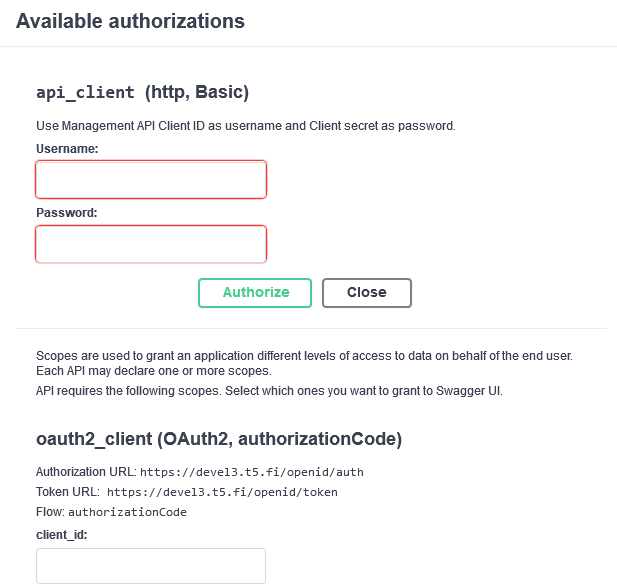
It is also possible to test the APIs. Just select the button "Authorize" or click one of the lock buttons on the right to enter your API Client credentials.
Authorize
In the Swagger UI you can enter your credentials by clicking the Authorize button:

You will then see a popup requesting credentials. Use Basic authentication with API Client credentials, or OAuth2 authentication with user access tokens.